FBI Hacker Says Apple Are ‘Jerks’ and ‘Evil Geniuses’ for Encrypting iPhones →

January 12, 2018 · 10:29

Lorenzo Franceschi-Bicchierai, writing for Motherboard:

On Wednesday, at the the International Conference on Cyber Security in Manhattan, FBI forensic expert Stephen Flatley lashed out at Apple, calling the company “jerks,” and “evil geniuses” for making his and his colleagues’ investigative work harder. For example, Flatley complained that Apple recently made password guesses slower, changing the hash iterations from 10,000 to 10,000,000.

I’m glad his work is made harder and I can’t help but wonder what smartphone he uses privately and if he would want it to be unencrypted.


iMac vs. iMac Pro — Apple’s Bad Design Priorities →

January 11, 2018 · 12:51

Stephen Hackett, writing for iMore:

I decided to take the conservative route, so I ordered the regular iMac. It showed up the day after Christmas. I slapped 32GB of OWC RAM in it — for a total of 40GB — and migrated my data from my trusty 2015 model.

Unfortunately, it didn’t take long to realize that I had made a mistake. Even during the migration, I could hear the new iMac’s fan blowing, and once I was logged in, it was even louder.

After any data migration, a Mac has a lot to do behind the scenes. Photos.app was busy reindexing my library, and Dropbox was working hard to make sure everything in its folder was supposed to be there. I let things run over night, thinking that by the next morning, this new iMac would be as quiet as my old one in normal usage.

Sadly, that wasn’t the case. I’ve heard very mixed things about this from people on Twitter and friends with 2017 iMacs, so I can’t say this is a universal truth, but the Core i7-powered iMac on my desk seemed to ramp up its fan far more often than my older i5, and when it did, the noise was noticeably louder than before.

Indexing Photos and Dropbox is not something that should make a powerful iMac, equipped with a Core i7, costing close to $3K, sweat. I know that because I built a Hackintosh based on an iMac’s specs — it has a much beefier GPU but it’s basically a 2013 iMac on paper. Its fans still spin at their slowest speed when the machine is chugging along, crunching 4K data in Final Cut Pro X. If the top-of-the-line iMac starts screaming at the top of its lungs during the basic stuff, then something’s wrong. It could be a software issue, but I’ve heard enough people complaining about the fans in various scenarios, that this sounds like a bad design decision.

Granted, the iMac Pro does seem to solve the problems Stephen’s having, but to me it sound as if his issues are the most basic tasks, which most Mac users do. A $5K+ iMac Pro should not be a “solution” to this problem. An iMac Pro is a workstation, aimed at demanding workflows. And I still have my doubts whether this is the appropriate machine for the task, especially since a 2010 Mac Pro equipped with a Vega 64 is still faster in OpenCL than a 2017 iMac Pro.

Apple’s crusade for making everything thinner and sleeker is ruining their machines. They are making their products more and more niche, while not providing computers for the masses. I’m sure there’s a market for a desktop computer like a Mac Pro, but with cheaper hardware and full-sized GPUs – I know I’d switch to that from my Hackintosh in a heartbeat, if the GPU was upgradeable, and I’m sure many more would too.


Dell’s ‘Maglev’ Keyboard →

January 10, 2018 · 16:05

Jacob Kastrenakes, writing for The Verge:

Among the most interesting quirks is the laptop’s keyboard: though it looks and feels just like typical Dell keyboard, it’s built using a brand-new mechanism that relies on magnets. The keys are still physically held in place at their corners, but there are now magnets beneath them to provide feedback. By controlling the strength of their repulsion, Dell can create a deeper, clickier feeling for the keys than their 0.7mm travel would normally allow.

The new “maglev” keyboard felt perfectly normal, at least during my brief use of it. I wouldn’t say it’s among the best keyboards I’ve ever typed on, but I didn’t feel any issues related to key travel, either.

This sounds like something Apple should have implemented instead of their new failure-prone butterfly switches. I am however curious how much vertical space this ‘Maglev’ implementation takes up, in comparison to the latter.


Safari’s Privacy Feature Costs Ad Companies Millions →

January 10, 2018 · 16:02

Alex Hern, writing for The Guardian:

Advertising technology firm Criteo, one of the largest in the industry, says that the Intelligent Tracking Prevention (ITP) feature for Safari, which holds 15% of the global browser market, is likely to cut its 2018 revenue by more than a fifth compared to projections made before ITP was announced […]

In response, Apple noted that: “Ad tracking technology has become so pervasive that it is possible for ad tracking companies to recreate the majority of a person’s web browsing history. This information is collected without permission and is used for ad re-targeting, which is how ads follow people around the internet.”

This is great news (!) and means that Apple is on point with the implementation details of their new feature. The practices of the ad industry are horrific and should have been addressed years ago. I strongly believe their shady practices have basically killed their own business — people basically hate most web ads — which is in stark contrast to podcast ads.


Measuring macOS Meltdown Patches Performance →

January 10, 2018 · 15:57

fG, writing for Reverse Engineering Mac OS X:

My tests demonstrate that the syscall interface is definitely much slower in High Sierra 10.13.2. This could lead to some drama, that in most cases, is not justified (I witnessed some minor drama because I released an early chart to see what happened). What my tests appear to point to is that some workloads will be slower but they are probably not relevant unless you are doing millions of iterations. Maybe a 10% impact on your build times is not reasonable at all or you don’t even notice it. The most important thing that users and systems administrators need to do is to measure their specific situation. It’s the only way to be sure if this patch is a problem or not, and build their threat case under this new assumption. One thing is sure, this appears to be here to stay in the medium to long term until all hardware is replaced.

Interesting and varying results, depending on the workload, tested on a MacBook Pro and Mac Pro, running Sierra and High Sierra.


Don’t Use AMP →

January 10, 2018 · 09:33

Malte Ubl:

TL;DR: We are making changes to how AMP works in platforms such as Google Search that will enable linked pages to appear under publishers’ URLs instead of the google.com/amp URL space while maintaining the performance and privacy benefits of AMP Cache serving.

Nothing significant has changed; you still cede content control to Google.

Do not use AMP.


Transmit iOS Development Suspended →

January 9, 2018 · 13:03

Cabel Sasser, from Panic:

Hello. Here’s an update on Transmit iOS that I promise will not use the words “sunset” or “journey” […]

Transmit iOS made about $35k in revenue in the last year, representing a minuscule fraction of our overall 2017 app revenue. That’s not enough to cover even a half-time developer working on the app […]

My optimistic take: we hope that as iOS matures, and more and more pro users begin to seriously consider the iPad as a legitimate part of their daily work routines, Transmit iOS can one day return and triumph like it does on the Mac.

This is terrible news. I don’t often use Transmit iOS, but when I do, I love it and wish I had reason to use it more often.


The Mac Is Not at the Top of Its Game →

January 4, 2018 · 10:26

John Gruber:

But Apple has invested significant time and resources into the MacBook, MacBook Pro, iMac, and now iMac Pro as they are.

Why hasn’t Apple yet shipped the Kaby Lake Refresh quad-core 15 W parts in the 13” MacBook Pros? They used to be the first manufacturer to put out machines based on new CPUs, with everyone waiting their turn. Today? They’re months behind.

The Mac is not at the top of its game, even if we skip the Surface innovation angle. Apple really needs to get its shit together, because at this point, I don’t trust them to ever update anything again, whatever Tim Cook says. I’m not a fan of their current lineup either. The iMac is a huge compromise, as is the new iMac Pro. The Mac Pro is still dead and there is no word on when the new one will arrive. The Mac Mini hasn’t been updated in close to 1200 days. The MacBook Pros still haven’t gotten new CPUs and the Touch Bar is horrific to use. The MacBook is… cute.1

All I want is a Pro laptop, with a normal keyboard and a quad-core CPU, with a footprint no larger than the current 13” model. And a no-compromise, upgradeable desktop with a full GPU and Core-series CPU, not costing a fortune. This isn’t asking much.

  1. Its screen is too small for my aging eyes.

Apple’s Message to Their Customers About iPhone Batteries and Performance →

December 29, 2017 · 11:15

We’ve been hearing feedback from our customers about the way we handle performance for iPhones with older batteries and how we have communicated that process. We know that some of you feel Apple has let you down. We apologize. There’s been a lot of misunderstanding about this issue, so we would like to clarify and let you know about some changes we’re making.

First and foremost, we have never — and would never — do anything to intentionally shorten the life of any Apple product, or degrade the user experience to drive customer upgrades. Our goal has always been to create products that our customers love, and making iPhones last as long as possible is an important part of that.

Now the important part…

About a year ago in iOS 10.2.1, we delivered a software update that improves power management during peak workloads to avoid unexpected shutdowns on iPhone 6, iPhone 6 Plus, iPhone 6s, iPhone 6s Plus, and iPhone SE. With the update, iOS dynamically manages the maximum performance of some system components when needed to prevent a shutdown. While these changes may go unnoticed, in some cases users may experience longer launch times for apps and other reductions in performance.

Customer response to iOS 10.2.1 was positive, as it successfully reduced the occurrence of unexpected shutdowns. We recently extended the same support for iPhone 7 and iPhone 7 Plus in iOS 11.2.

Of course, when a chemically aged battery is replaced with a new one, iPhone performance returns to normal when operated in standard conditions.

I mentioned that last bit a few days ago:

Fitting a new battery into an iPhone will allow the SoC to be used at full power once more, hence the issue will go away. You can either try to do this under warranty or pay less than 100 EUR / 100 USD to get it done in authorised service centres. You can find multiple examples of a new battery fixing the problem, here and here for example.

Apple is now lowering the prices of battery replacement however.

Apple is reducing the price of an out-of-warranty iPhone battery replacement by $50 — from $79 to $29 — for anyone with an iPhone 6 or later whose battery needs to be replaced, starting in late January and available worldwide through December 2018. Details will be provided soon on apple.com.

I hope this also means that they will refund those customers, who already replaced their batteries for this very reason.


The iMac Pro Is Amazingly Silent →

December 28, 2017 · 14:13

Jason Snell, writing for Six Colours:

When running HandBrake, the fan on my 5K iMac would always crank up and was quite audible when it did so. So far as I can tell, the iMac Pro’s fan may always be running, but it’s amazingly quiet. In my normal office environment, I can’t hear it—only when I spun the iMac Pro around and listened with all other devices off could I hear it, faintly blowing. When HandBrake was running at full speed, the iMac Pro sounded pretty much the same—but the air coming out of the vents on the back was definitely warmer!

I wonder how well the components inside that unnecessarily small case will fare from the heat over an extended period of time. This is my biggest iMac complaint — the back of the display could be both thicker and deeper, like the older iMacs. I’ll admit it looks good, but I’ll take cooler running internals over visual aesthetics every day of the week.


“Face ID Is a Mistake Disguised as Courage” →

December 28, 2017 · 12:39

Paul Thurrott’s piece on the iPhone X caught my eye because of his take on Apple’s design decisions:

Apple’s iPhone X is chock-full of new technologies and features, and it has a modern, elegant design that I feel will stand the test of time. But it is also more expensive than any other mainstream smartphone. And it has a few bad design choices that may limit its appeal.

My own complaints are mainly focused around iOS 11 itself, but I was curious on Paul’s take.

[…] some smartphones even offer more technically impressive designs. Samsung’s flagships offer displays that gracefully curve around the edges of the device, creating a truly bezel-less effect. And few phones stick an ungainly notch into the top of the display, ruining the infinity pool effect.

I spent a month with the S8 and S8+ — they are impressive — but if there was one thing I wish they didn’t have, it’s the curved glass. Terrible, terrible decision.

The notch is a problem. We must discuss the notch.

The notch is the wrong decision, and it’s one that Apple, and iPhone users, will now need to deal with for years. And it is the wrong decision on a number of levels.

From a looks perspective, the notch is an unnecessary, jarring interruption of an otherwise beautiful looking visual design. There is an elegance to the curves of the display and the surrounding frame, which match each other perfectly … except for that notch. It’s an affront. An intrusion. And despite assurances from some others I know who own the iPhone X—opinions differ on this one, apparently—you never really do get used to it. It’s like a mote in your eye, always in the way.

It is an affront, but at the same time, strangely enough, I barely notice it.

Apple should have done what Samsung did with its 2017 flagships, what OnePlus did with the 5T, and what virtually all other smartphone makers will do when they adopt this more design in other devices: Just put a bit of bezel at the top of the device. There is no need to intrude into the display.

I’m sure they considered this, but the iPhone would then look like every other phone on the market. My friend recently held up an LG V30 and even seeing it up close, I had to look for the logo — I thought it was the new Samsung set to ship in January.

But design is about more than just looks. Design also encompasses how a thing works. And notch or not, Apple needed some space at the top of the device to house the optical elements that were required for the iPhone X’s terrible Face ID technology.

Terrible? This will be interesting.

And Face ID is terrible by any meaningful metric. I’ll get into this more in the Security section of this review. But the short version is that this design is an unnecessary compromise and inconvenience. A rear-mounted fingerprint reader would have been hugely preferable. This is the iPhone X’s version of the missing headphone jack: A mistake disguised as courage.

Face ID has thus far, subjectively, surpassed all my expectations, beating Touch ID in every single “metric”. Which are the “meaningful” ones, I wonder?

It’s a shame that it needs to be protected with a case. Which it does, given its slippery and non-durable all-glass design.

Still rocking mine without a case1. It’s also notably less slippery than the iPhone 7 and 7 Plus.

To display the App Switcher, you swipe up from the bottom of the screen and hold.

You don’t need to hold. Just arc your gesture and the App Switcher will appear. This was a huge mistake on Apple’s part, when they demoed the iPhone X gestures during the keynote.

To access Control Center, you now swipe down from the top right of the screen. This is, of course, different from all other iOS-based devices, where you swipe up from the bottom of the screen to access this interface. But it’s easily learned.

This is the one gesture which is terrible beyond words.

Since Paul doesn’t mind, we obviously have completely different points of view.

The iPhone X display features HDR capabilities plus Apple’s excellent True Tone technologies, which subtly and dynamically color the display to match the light in your surroundings. This is the best implementation of this kind of thing I’ve ever seen—it debuted on the iPad Pro—and it makes reading, especially, delightful no matter where you are at the time.

Whenever I see a screen without True Tone now, I cringe. It’s that good.

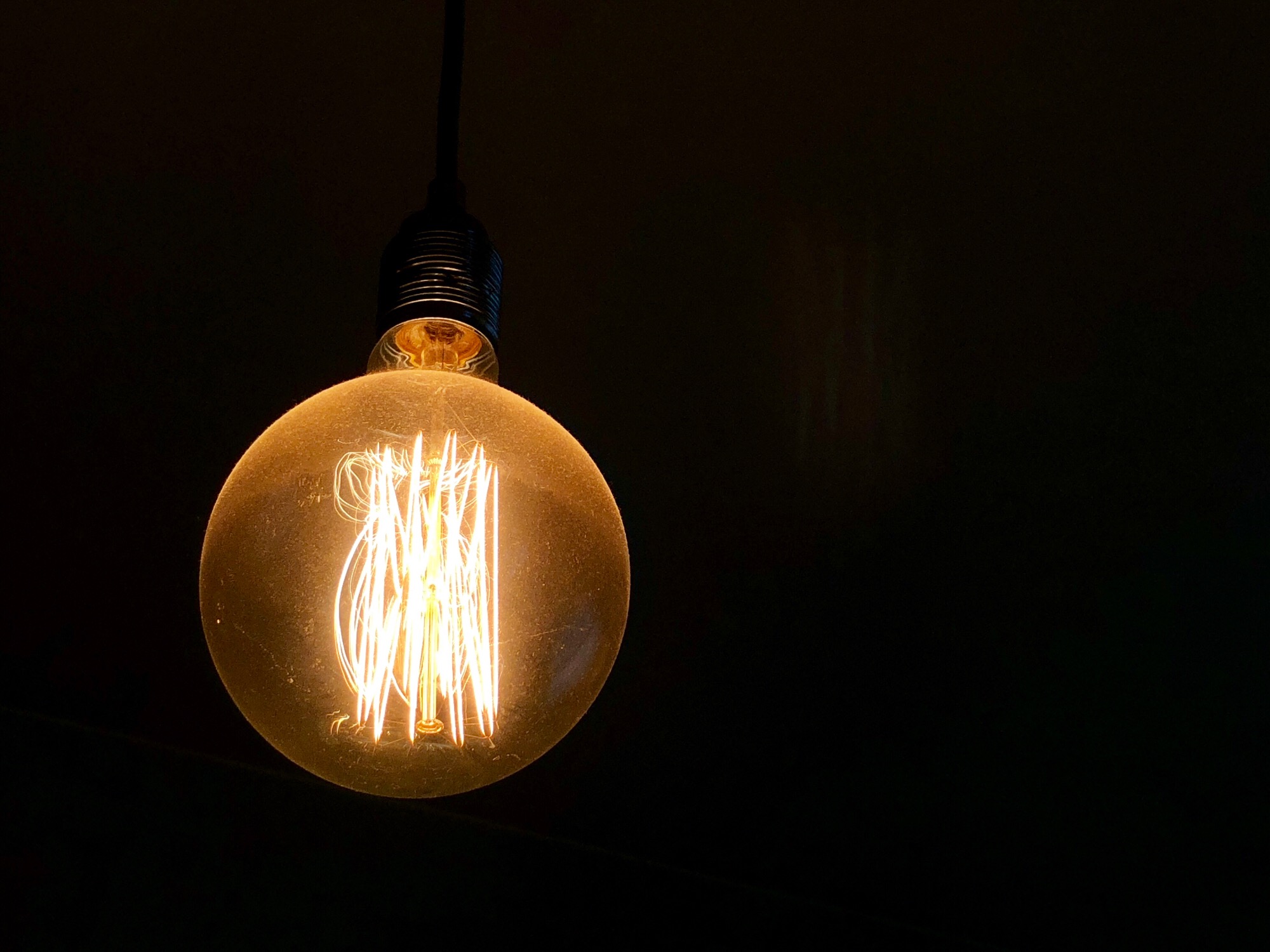
The problem with this approach is that great low-light cameras, like that in the Pixel 2 XL, actually use the darkness to great effect: Instead of lighting up the scene, they let you tap to focus on a lit area and create a much more attractive—and sometimes even surreal—photo in which colors and lights pop in the darkness. With the iPhone X, all you usually get is a scene that is as evenly lit as possible, given the conditions.

If Paul bothered to tap the screen, focusing on the light bulb in the iPhone shot, he would have gotten the same effect. Proof below.
Portrait Lighting only works with the selfie camera.

Nope. It works with the rear cameras too.

Apple’s use of facial recognition is inarguably the most controversial aspect of the iPhone X. It is also, I think, the iPhone X’s Achilles Heel.

Yes, Face ID works as good, if not better than, any facial recognition system I’ve used. But it’s not particularly fast or convenient when you factor in the time and effort it takes to actually sign-in: You also need to swipe up on the screen in order to actually access the home screen or whatever app you were previously using. It’s tedious.

Effort? What effort? I already have the phone in front of me — the rest is automatic.

I start swiping before the iPhone is in front of my face, in a position where I always hold smartphones. Face ID does the rest in the background. You don’t have to wait for Face ID to unlock before you start swiping.

Worse, it’s time-consuming: Face ID is not nearly as fast as using the Touch ID fingerprint sensor that Apple placed on previous iPhones. And in denying users that option—it could have, and should have, simply put Touch ID on the back of the iPhone X—it has created an all or nothing dilemma for customers. Face ID is easily the worst thing about the iPhone X. Easily.

It’s faster in the 48 days that I’ve used it, even more so when I take into account all the situations when Touch ID fails (multiple times per day). Face ID has failed me twice so far. Not bad. And it’s easily the best new feature of the iPhone X. Easily.

And you will need to use Face ID. To sign-in to your device, over and over again. To use Apple Pay. To approve purchases in the Store. Until of course, you can’t: For reasons I can’t quite explain, I’ve had to type in my Apple ID password—my freaking password, in 2017—more on the iPhone X than I have in years.

Once a Touch ID iPhone was unlocked, the user could get into almost everything, including signing into websites, whose passwords were stored in iCloud Keychain. Not so on the X. Before the iPhone X pastes in your login data, in Safari for example, it verifies that the user is still the owner of the phone. This additional security is priceless.

God, I miss Touch ID.

I don’t. And I can’t wait for Face ID on the iPad and Mac.

Video playback is problematic too, thanks to the notch. You have two choices: You can let the notch intrude into the video, as shown here.

Or you can crop it so that there are black bars on both sides. No, neither is ideal.

This is the result of going to taller that 16:9 screens, which Paul earlier calls “correct”:

Granted, other smartphone makers delivered what is now correctly viewed as the standard for modern flagships—tall, 18:9-ish displays with tiny bezels—well before Apple did with the iPhone X.

Come on Paul, every single taller or wider than 16:9, depending on orientation, screen is going to exhibit this behaviour.

There is no way around this: The iPhone X is expensive. Too expensive, I think.

I completely agree. To some, the price is justifiable, but not to most. I don’t consider the X to be worth the $1430 it costs in Poland. Not even close.

Compared to other flagships smartphones, the iPhone X is crazy-expensive. You can get an excellent Samsung Galaxy S8 or S8+ at a steep discount right now, and these devices feature even more impressive displays than Apple’s offering.

More impressive only considering it’s discounted to half the price of the X. If we remove the pricing factor, it is not superior.


I understand that these are Paul’s subjective views on the X, but I just cannot comprehend how he sees Face ID as the Xs biggest weakness.

  1. Touch wood.

Computer Latency: 1977-2017 →

December 26, 2017 · 15:35

Dan Luu:

I have this nagging feeling that the computers I use today feel slower than the computers I used as a kid. I don’t trust this kind of feeling because human perception has been shown to be unreliable in empirical studies, so I carried around a high-speed camera and measured the response latency of devices I’ve run into in the past few months. Here are the results […]

It’s a bit absurd that a modern gaming machine running at 4,000x the speed of an apple 2, with a CPU that has 500,000x as many transistors (with a GPU that has 2,000,000x as many transistors) can maybe manage the same latency as an apple 2 in very carefully coded applications if we have a monitor with nearly 3x the refresh rate […]

On the bright side, we’re arguably emerging from the latency dark ages and it’s now possible to assemble a computer or buy a tablet with latency that’s in the same range as you could get off-the-shelf in the 70s and 80s […]

The smartphone results that Dan posted put things in perspective.


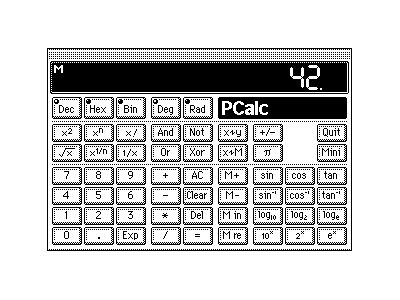
PCalc’s 25th Birthday →

December 23, 2017 · 07:48

James Thomson is currently celebrating the amazing history of his scientific calculator:

25 years sounds like a really long time. A quarter of a century sounds even longer. Yet, that is how long it has been since PCalc 1.0 was released […]

PCalc was my first ever application. I started writing in the summer of 1992 and it took me around six months to get it into a state where I was happy to show it to the world. Some of that code still runs today, deep at the heart of the machine.

That is both amazing and terrifying.

This means that both the iOS and Mac versions are on sale — down to $0.99 from the usual $9.99.

If you need a really good programmable calculator, do one of two things:

  • wait for the sale to end and buy it at full price (it’s totally worth it)
  • buy it now, go into the About screen, and drop a few coins into the Tip Jar

Wishing you as many more years of PCalc as you want James!

P.S. Don’t forget to play the AR game hidden in the About menu!


Apple Plans Combined iPhone, iPad & Mac Apps to Create One User Experience →

December 20, 2017 · 17:01

Mark Gurman, writing for Bloomberg:

The Mac App Store is a ghost town of limited selection and rarely updated programs. Now Apple plans to change that by giving people a way to use a single set of apps that work equally well across its family of devices: iPhones, iPads and Macs.

Starting as early as next year, software developers will be able to design a single application that works with a touchscreen or mouse and trackpad depending on whether it’s running on the iPhone and iPad operating system or on Mac hardware, according to people familiar with the matter.

If this is true, I’m guessing the road will be rocky for developers, but the benefit for users could be huge, especially those that use the same apps on both iOS and macOS, relying on iCloud or other services for the syncing of data. I do wonder how this will influence pricing, however.


Micro.blog Opens Up →

December 20, 2017 · 08:18

Manton Reece:

Micro.blog is now available to anyone. There’s a limit of 100 new sign-ups each day, so that we can better respond to feedback as the community grows. Thanks so much to the thousands of Kickstarter backers and new users who have helped us improve the platform this year.

This is what people should be using instead of Twitter and Instagram.


How to Restore an iMac Pro →

December 15, 2017 · 23:15

Apple Support:

In certain circumstances, such as a power failure during a macOS upgrade, an iMac Pro may become unresponsive and must be restored. The requirements for doing an iMac Pro restore are […]

You will need to have another Mac on hand to perform the restore.


Google Collects Android Users’ Locations Even When Location Services Are Disabled →

December 7, 2017 · 08:27

Keith Collins:

Since the beginning of 2017, Android phones have been collecting the addresses of nearby cellular towers—even when location services are disabled—and sending that data back to Google. The result is that Google, the unit of Alphabet behind Android, has access to data about individuals’ locations and their movements that go far beyond a reasonable consumer expectation of privacy.

Quartz observed the data collection occur and contacted Google, which confirmed the practice.

I wonder what would have happened had they not been caught, and I mean that with all the sarcasm in the world.

What scares me most is that people stopped caring about companies doing things like this. Sure, I care. Maybe even you care. But most people don’t.


Uber Paid Hackers to Delete Stolen Data on 57 Million People →

December 7, 2017 · 08:23

Eric Newcomer:

Hackers stole the personal data of 57 million customers and drivers from Uber Technologies Inc., a massive breach that the company concealed for more than a year. This week, the ride-hailing firm ousted its chief security officer and one of his deputies for their roles in keeping the hack under wraps, which included a $100,000 payment to the attackers.

Compromised data from the October 2016 attack included names, email addresses and phone numbers of 50 million Uber riders around the world, the company told Bloomberg on Tuesday. The personal information of about 7 million drivers was accessed as well, including some 600,000 U.S. driver’s license numbers. No Social Security numbers, credit card information, trip location details or other data were taken, Uber said.

I deleted my account a year ago or so — maybe more — and have not looked back. I refuse to do business with a company this evil, which tries to sweep all of its failures under the rug.


The Rise and Fall of Security in iOS 11 →

December 2, 2017 · 15:34

Oleg Afonin:

The passcode. This is all that’s left of iOS security in iOS 11. If the attacker has your iPhone and your passcode is compromised, you lose your data; your passwords to third-party online accounts; your Apple ID password (and obviously the second authentication factor is not a problem). Finally, you lose access to all other Apple devices that are registered with your Apple ID; they can be wiped or locked remotely. All that, and more, just because of one passcode and stripped-down security in iOS 11.

This has been a very bad week or two for Apple.


Repair File Sharing After Security Update 2017-001 for macOS High Sierra 10.13.1

November 30, 2017 · 06:13

Apple pushed a security update for the huge High Sierra vulnerability yesterday, introducing a bug while they were at it. You should install the update as soon as possible and then do this, if File Sharing isn’t working:

Open the Terminal app, which is in the Utilities folder of your Applications folder.

  1. Type sudo /usr/libexec/configureLocalKDC and press Return.
  2. Enter your administrator password and press Return.
  3. Quit the Terminal app.

John Gruber summarized the problem, which seems to have been around for a few months now:

So the exploit was floating around, under the radar, for weeks at least, but it seems as though no widespread harm came of it.

Personally, I’d call this much too optimistic — people could have been hacked without them even realizing it.


Serenity Locked Locked Herself Out of Her Smart Home →

November 29, 2017 · 08:50

Serenity Caldwell:

In my bleary-eyed early-morning state, I grabbed my car keys from their front ring and went outside to grab the package, closing the door behind me and thinking nothing of it. I didn’t have my phone, Apple Watch, or even a sweater.

When I brought the package back up and attempted the door, that’s when the realization set in. My fancy smart lock had automatically locked said door behind me — and I didn’t have a key on my car ring or smart device to help me out.

The rest of the story is priceless — must read!


The Surface BEAST →

November 28, 2017 · 11:43

Blair Bunting:

For me the Surface Book 2 was the MacBook Pro that we had all wanted/expected from Apple, it just wears a different logo. While other reviews will read off the spec sheets and talk about the 17 hour battery life and GX yadda yadda yadda processor, they sometimes forget that we (the creative professionals) use these as tools. What Microsoft has done with the Surface Book 2 is make a system void of gimmicks, because gimmicks don’t hold up in the working world. Our jobs will not benefit from being able to tap an emoji on a scroll bar, they will benefit from the ability to get work done. As a photographer, it feels extremely odd to say this, but I sincerely feel that the Surface Book 2 is not only a strong contender for the laptop to own, but actually the clear cut choice of the computer to have on set.

I am so tempted by the Surface Book, just to use it with Lightroom. Switching out my MacBook Pro would however completely kill my workflow. And I definitely couldn’t live with it for writing — Windows is still missing crucial software and keyboard shortcuts. This doesn’t change the fact that the Surface Book is much more attractive than the MacBook at this point, while the iPad Pro is still lacking in software.


Make The Touch Bar Optional →

November 28, 2017 · 11:30

Jason Snell makes some valid points:

In any event, Steven Aquino’s piece makes it clear that nobody should make blanket statements about the Touch Bar succeeding or failing. But where does it go from here? Does it get better, so more people embrace it? Does it become an option, rather than a mandatory feature? Does it fade away? Only Apple knows.

Make the Touch Bar optional, then everyone can order the one they want.

Personally, I will not buy a Touch Bar MacBook anymore — I already had one (two technically) and I breathed a sigh of relief after returning it.


Hacker Decrypts Apple’s Secure Enclave Processor Firmware →

November 28, 2017 · 09:03

iClarified:

Hacker xerub has posted the decryption key for Apple’s Secure Enclave Processor (SEP) firmware.

The security coprocessor was introduced alongside the iPhone 5s and Touch ID. It performs secure services for the rest of the SOC and prevents the main processor from getting direct access to sensitive data. It runs its own operating system (SEPOS) which includes a kernel, drivers, services, and applications […]

Decryption of the SEP Firmware will make it easier for hackers and security researchers to comb through the SEP for vulnerabilities.


Gutenberg 1.7.0 Editor for WordPress — First Look →

November 20, 2017 · 06:40

Angelika Borucka:

WordPress 5.0 will soon be a thing and it might feature a brand new content editor, that will take place of the good old TinyMCE—Gutenberg. It’s still in development and the first digit in the version number doesn’t mean it actually left the beta stage.

I got curious, so I’ve installed the beta plugin from WordPress repository to check it here. Let’s see!

This is actually pretty cool and I’d wish they hurry and ship it, bug free hopefully.